Another way to set up Windows 11 without a Microsoft account has been closed off by the company. This was the small “Learn more” link on the sign-in screen that led to local account creation. The link has now been disabled on a fresh Windows 11 26H2 ISO.
The change was not announced in any update notes, nor was it a part of any update – it happened on Microsoft’s own servers, as the link now leads to a page that was previously one step in the process of creating a local account, but now is a dead end.
Previously, the “Learn more” link would open a page that said, “See how your data is managed” – and then, after a few seconds, the screen would change to “Who’s going to use this device?”
Now the “Learn more” link opens the same data page – and that’s where it ends. “The only button is Back,” writes Windows Latest, adding that the data page instructs users on how to switch to a local account after the setup, but also states that using an online account is “even better.”
The workaround had been discovered in September, and was the easiest way to set up Windows 11 without a Microsoft account, requiring no command line input, registry edits, or disconnecting from the internet. It was closed in about four weeks.
The “Learn more” workaround was announced on X by a user named Bob Pony, who on October 9 posted an update to say that the method had been “patched server side.”
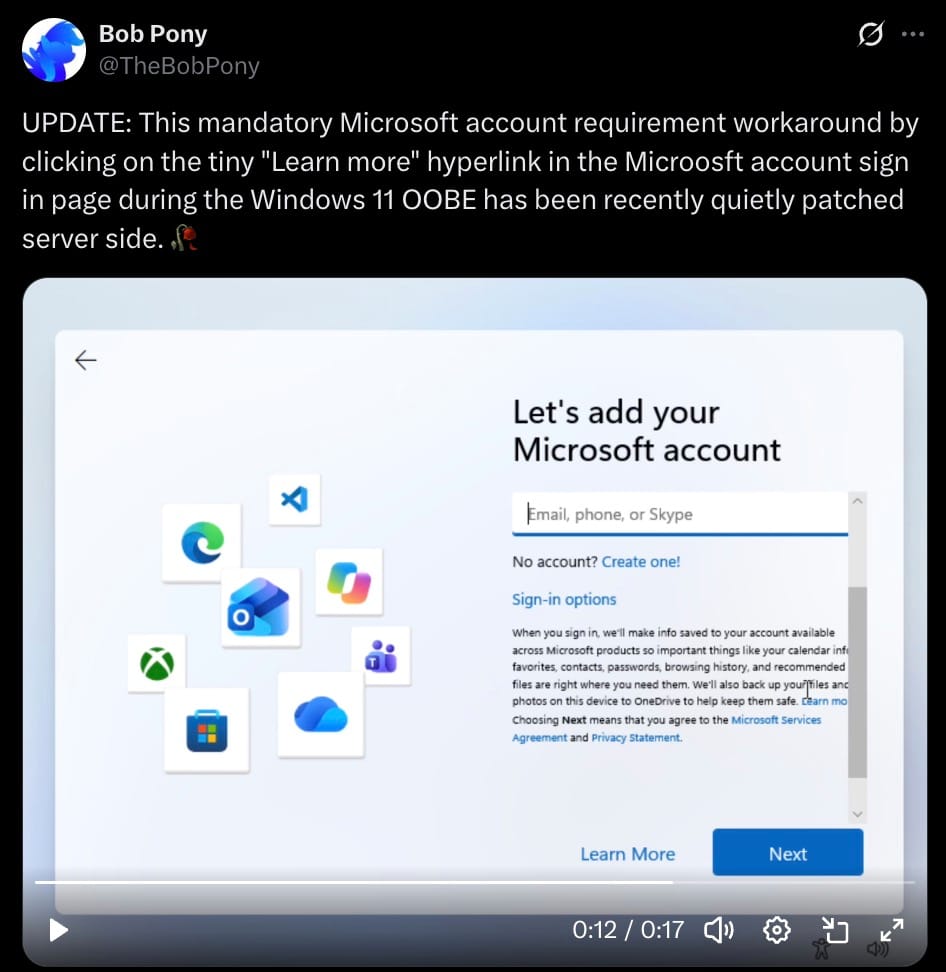
Before that, Pony wrote, “just simply click on the small Learn more hyperlink on the Microsoft Account login page.”
Microsoft has been trying to force users to log in with a Microsoft account during the initial setup for a long time, and has been closing all the doors that allowed them to install the operating system without doing that.
In October last year, in Windows Insider Preview Build 26120.6772, Microsoft announced it was removing the known ways to create a local account during setup, as they “inadvertently” allowed users to skip some of the initial screens, and end up with a “device that is not fully configured for use.”
At that time, Microsoft said that users would have to have an internet connection and a Microsoft account to complete the setup, in order to have the device “fully configured.”
Previously, Windows Latest had found that commands oobe\bypassnro and start ms-cxh:localonly, the BypassNRO registry value, as well as using fake email addresses were all blocked by Microsoft.
What is left are “the clunky routes, like Domain Join on Windows 11 Pro or a custom ISO made with Rufus,” writes the site.
Microsoft’s own support page says that Windows 11 Home requires internet connectivity and a Microsoft account during the initial setup.
In March, a user asked Scott Hanselman, a vice president at Microsoft, if the company would remove the need to log in with an online account just to use a computer. Hanselman replied, “Ya I hate that. Working on it.”
Around the same time, he said that one of Microsoft’s goals was “a calmer and more chill OS with fewer upsells.”
Windows Latest wonders, “So, is Microsoft working on it, or working against it?”
The site also noted that setting up Windows 11 is a lengthy process that takes over an hour, and includes several promotional messages – for Microsoft 365, OneDrive, and Xbox Game Pass.
The site remarked, “Windows is not free.”
When Microsoft removed the setup commands last year, we reported that what users were able to skip were the screens that pushed Microsoft 365, Xbox Game Pass, and features like Windows Recall.
This is not the only way Microsoft has been forcing people to use its online account. In the past, the company removed phone activation for Windows and Office – instead, activation now “demands a Microsoft account and an active connection to the company’s servers.”
When you sign in with a Microsoft account, the BitLocker recovery key is uploaded to Microsoft’s servers. The company says it receives “about 20 such requests a year” – but it has been known to hand over the keys to the FBI.
Last year YouTube removed a CyberCPU Tech tutorial on bypassing the Microsoft account requirement, labeling it as “harmful or dangerous.”
The latest attempt to make Windows users sign in with a Microsoft account is the new age-signal API, that “must run in a user session with a Microsoft account signed in.”
The reason Microsoft is hell-bent on forcing everyone to use an online account is simple: it ties the machine, its encryption key, and its owner to Microsoft’s servers. That is why every way to bypass this is being closed. And the fact that a vice president says he “hates” the requirement and is “working on it” is of little consequence as long as the company keeps closing every route that allows users to work around it.