Cryptomator, a German company offering open-source client-side encryption for files stored in the cloud, has rolled out version 3.0.0 of its Android app, that includes the long-awaited Document Provider feature.
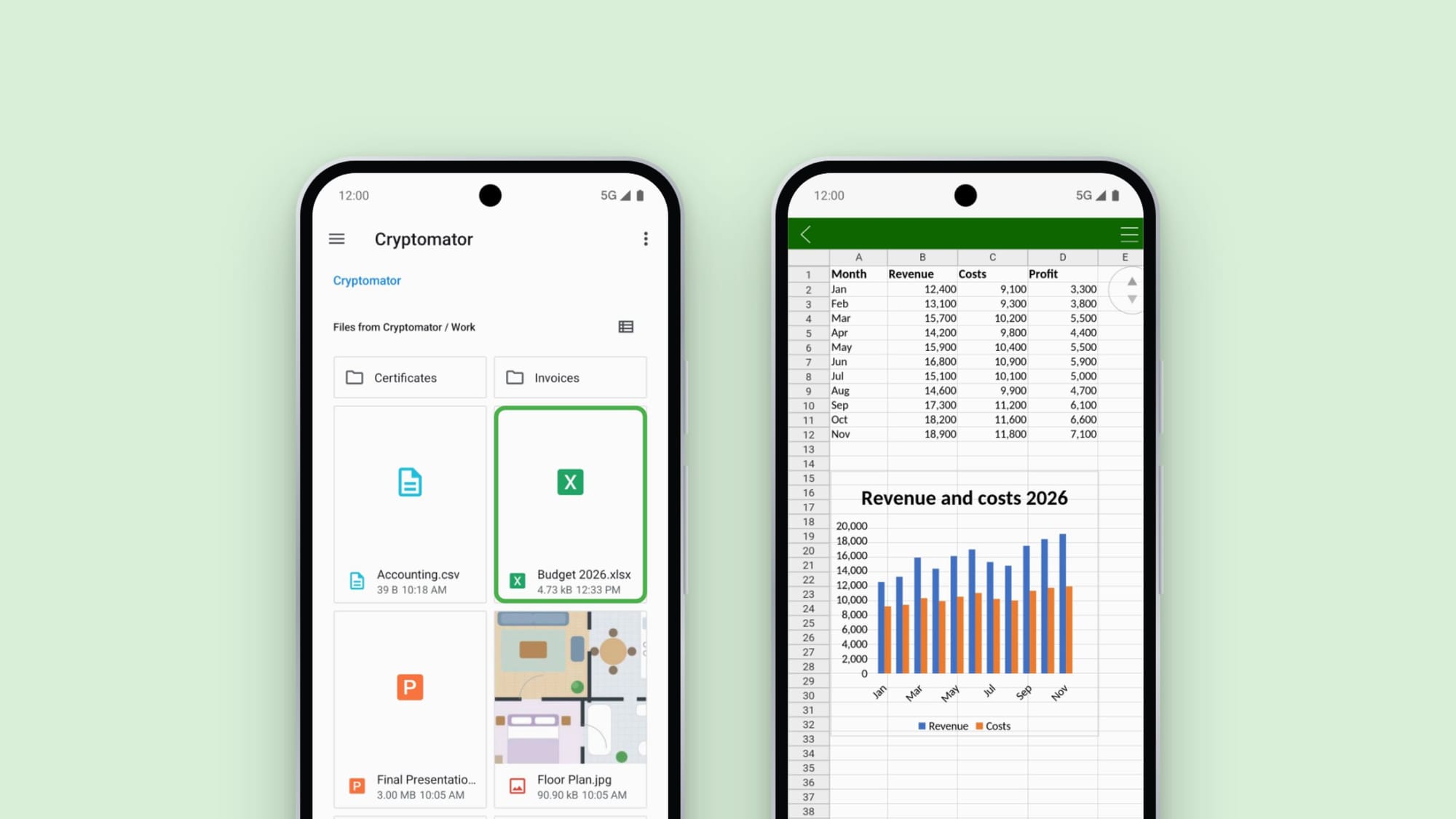
This means that encrypted vaults are now available in the system's own Files app and system file picker, as a location. "Open and save encrypted files right inside any app: with Cryptomator for Android 3.0.0, the most-requested feature of our Android app is here," the company said.
The core of the privacy promise that both Cryptomator and its open-source, multi-platform desktop counterpart make is that the cloud provider never gets to see the files unencrypted - because encryption happens on the device first. "Files are encrypted on the device before they reach the cloud, whether that's Dropbox, Google Drive, OneDrive, or any other provider," the company said.
The company says that "notes apps, office apps, PDF readers, and photo editors work with encrypted files just like with any other file."
Any app that supports it can now "open, save, create, rename, move, and delete files inside a vault." This is made possible by Android's Storage Access Framework (SAF), which has been around since Android 4.4. SAF lets users browse and open documents, images, and other files across all of their preferred document storage providers.
On Android, a document provider is a content provider that lets a storage service, such as Google Drive, reveal the files it manages. Now, Cryptomator has become one of those providers, plugging itself into the Android system in a way that makes it available in the same place where Google Drive is.
The blog post explains that each vault gets its own entry in the Files app. If a file is saved in a vault from another app, Cryptomator uploads it in the background, and if a change is made to a file in the cloud, the app makes sure that "nothing gets overwritten" by keeping a "separate conflict copy" of the local version.
The app that you choose to work with a file from a vault will still work with the decrypted content, which is the weak point in the chain, as it depends on the security of that app. Another weak point is the fact that the vault can now stay unlocked longer than before - the auto-lock timer now counts from the last use of a file, which includes use in another app. The blog post said that "a vault won't lock while a document is still being edited in another app."
There is also a new setting, "Wait for transfers," which is on by default, and "keeps the vault unlocked until running uploads are finished." The "Lock all" option still locks all vaults at once.
The Document Provider feature does not work with all apps, though, specifically those that use their own file list instead of the system picker "can't see vaults." Many third-party apps also can't trigger an unlock, and will "only show an error and offer no way to unlock." Cryptomator describes this as "a missing feature rather than a bug in those apps," and says that a future version will show a notification to help deal with this issue.
The feature that is now finally here was first requested on Cryptomator's GitHub page on January 26, 2017, and closed as done on October 28.
In the meantime, other users were getting frustrated, with one saying in December 2025 that the last update had been "in February of 2024," and in March, another user said, "the original issue was opened nine years ago, so I'm not holding my breath," while yet another one called the Android app "almost unusable without Document Provider."
The free version of the app includes the new feature, but only for read-only access. Write access is available as an in-app purchase, or by entering a licence key. The app is available on the Google Play Store, as well as an APK from the official website, and through F-Droid and Accrescent. The F-Droid versions, however, have no Google Drive support because Google Drive requires "proprietary dependencies."
The source code of Cryptomator is available under the GPLv3 license, and there is also a commercial licence for vendors. The iOS app is fully integrated into Apple's Files app.
On Reclaim The Net, you can find a Cryptomator tool page, and read about how it works, and the benefits of using it, such as the fact that the cloud provider only ever sees ciphertext, and that the app is free for use on the desktop, with its code audited by security firm Cure53. Mobile apps are free as well, but require a paid unlock to get write access.
We previously covered the importance of encrypting files before uploading them to the cloud, and the problem of cloud services getting hold of encryption keys. In April, Tuta Drive was announced as another encrypted cloud storage option.
Encryption is only as good as the way it is implemented and integrated into the workflow of the user. If it doesn’t fit, it will be bypassed – which is why this update to Cryptomator’s Android app is important. The weak points now are the apps you open the files in – and how long the vault stays unlocked.